How Canary Care works

Home care technology, made for real life

Canary Care sensors help you understand what’s happening at home by monitoring daily activity – without cameras, wearables or intrusion. Using simple technology and a secure platform, the system builds a picture of day-to-day routines and highlights when something changes.

Simple technology, working together

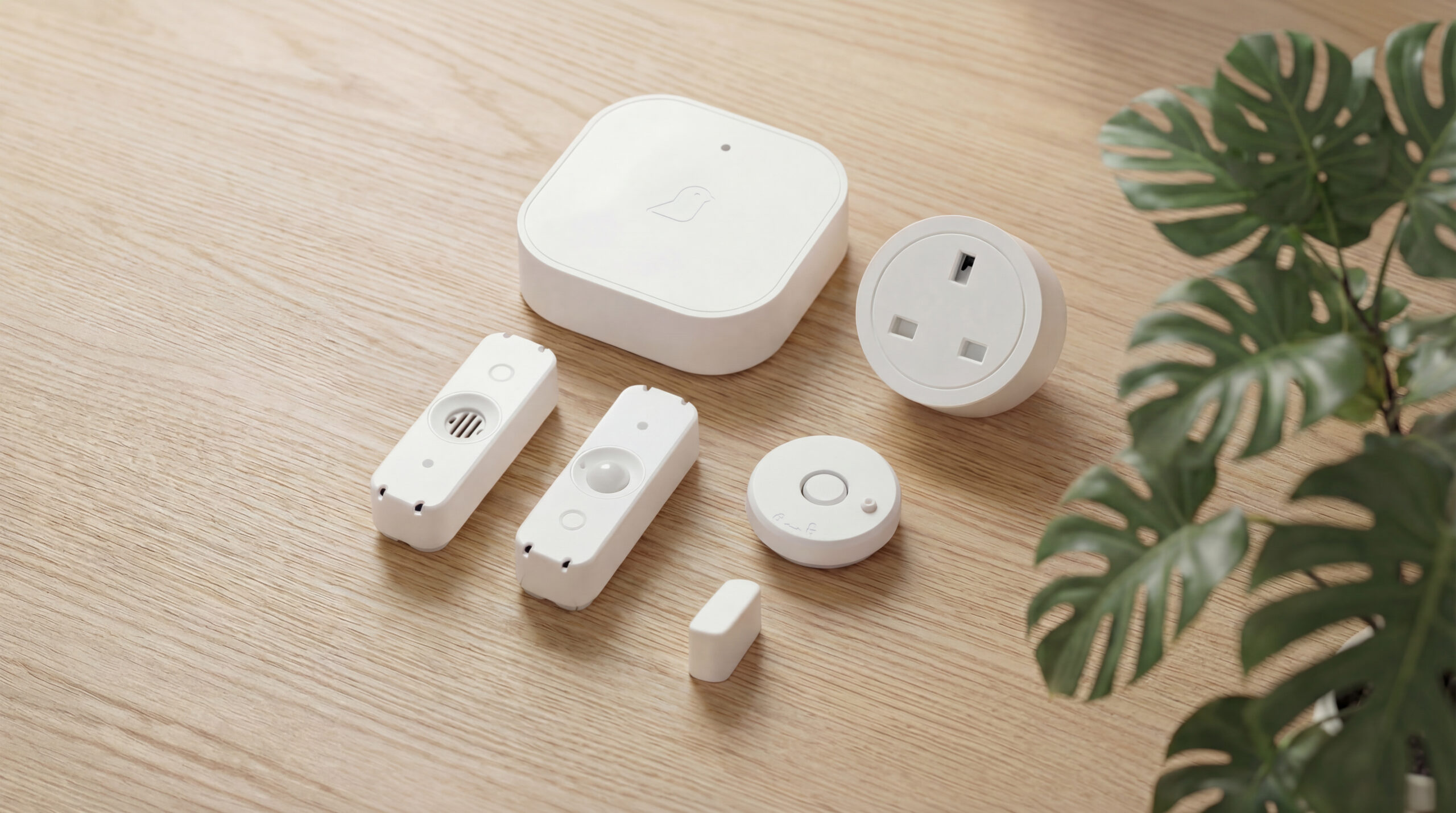
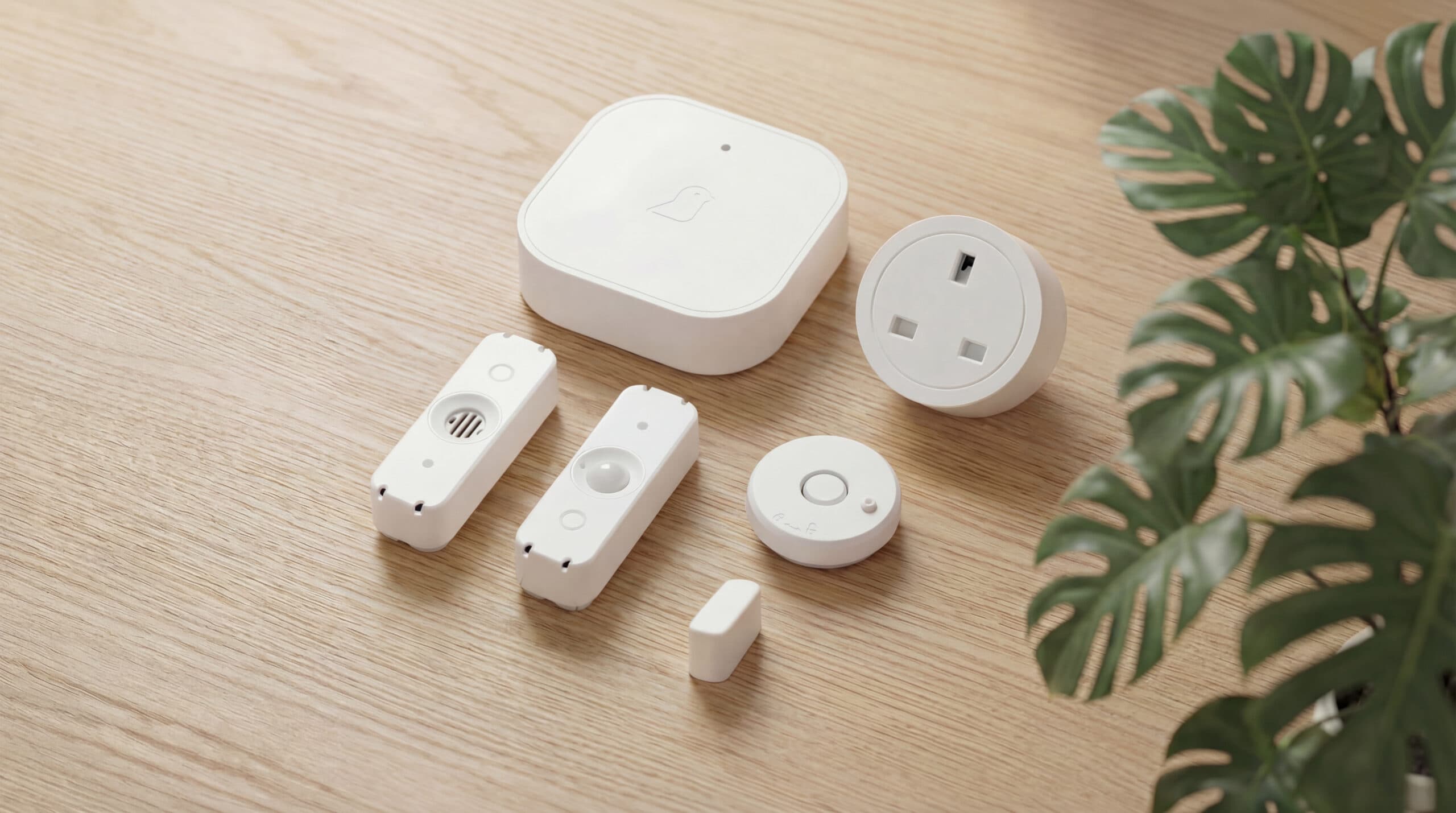
The Canary Care system

We’ve designed our tech to be seamless. Discreet sensors that go unnoticed within the home deliver actionable insight to help you make sure a loved one or a client is supported in the right way, at the right time.

Sensors

Detect movement and activity throughout the home with a range of multi‑function, humidity, and vibration sensors to identify changes in daily routines.

Home hub

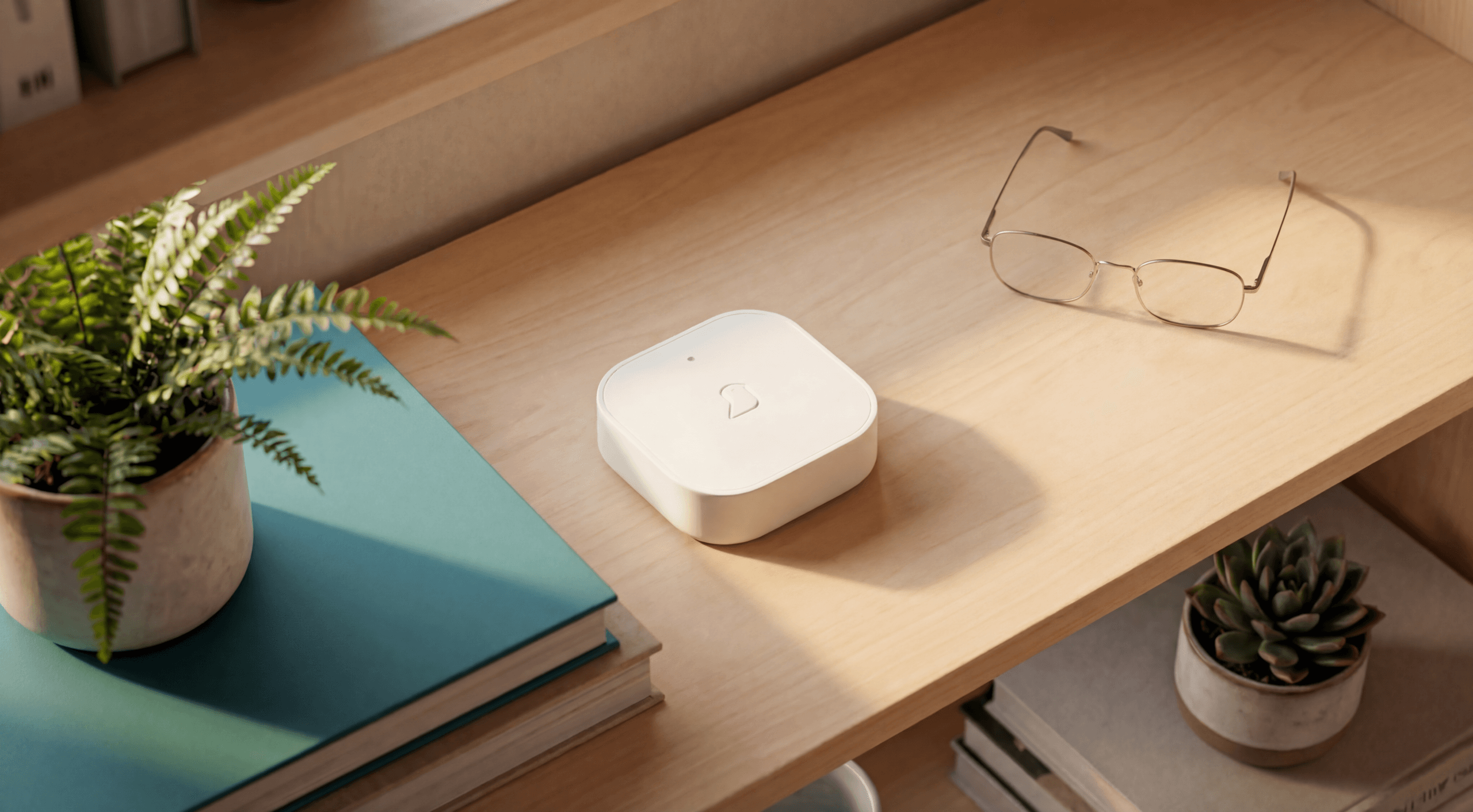
Securely connect all home care sensors with the Canary Care Hub, the heart of our system – designed to keep families and carers connected 24/7.

Portal

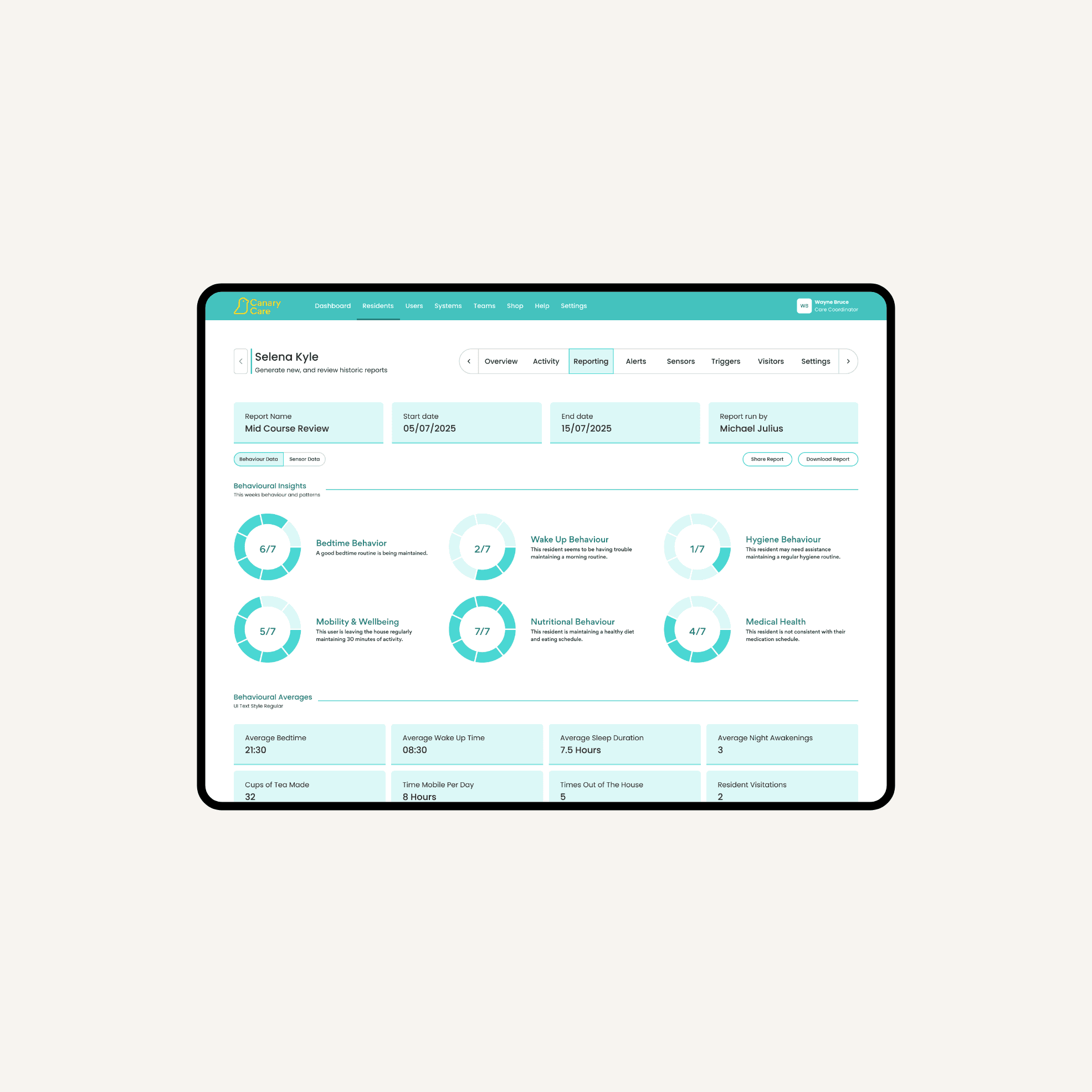
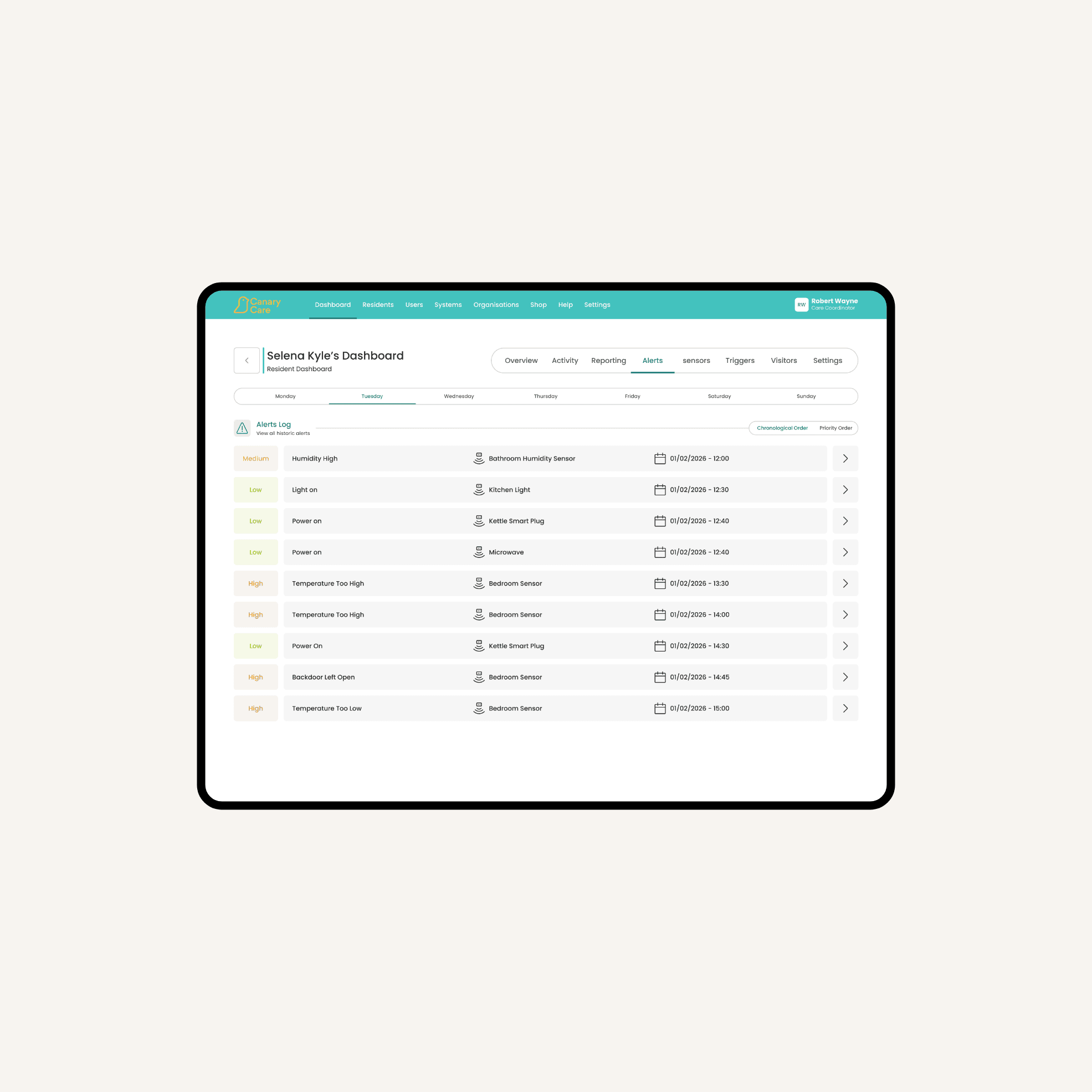
Understand routines and identify meaningful activity changes in the Canary Care Portal – plus set custom alerts based around someone’s needs and day-to-day routine.

Dashboard

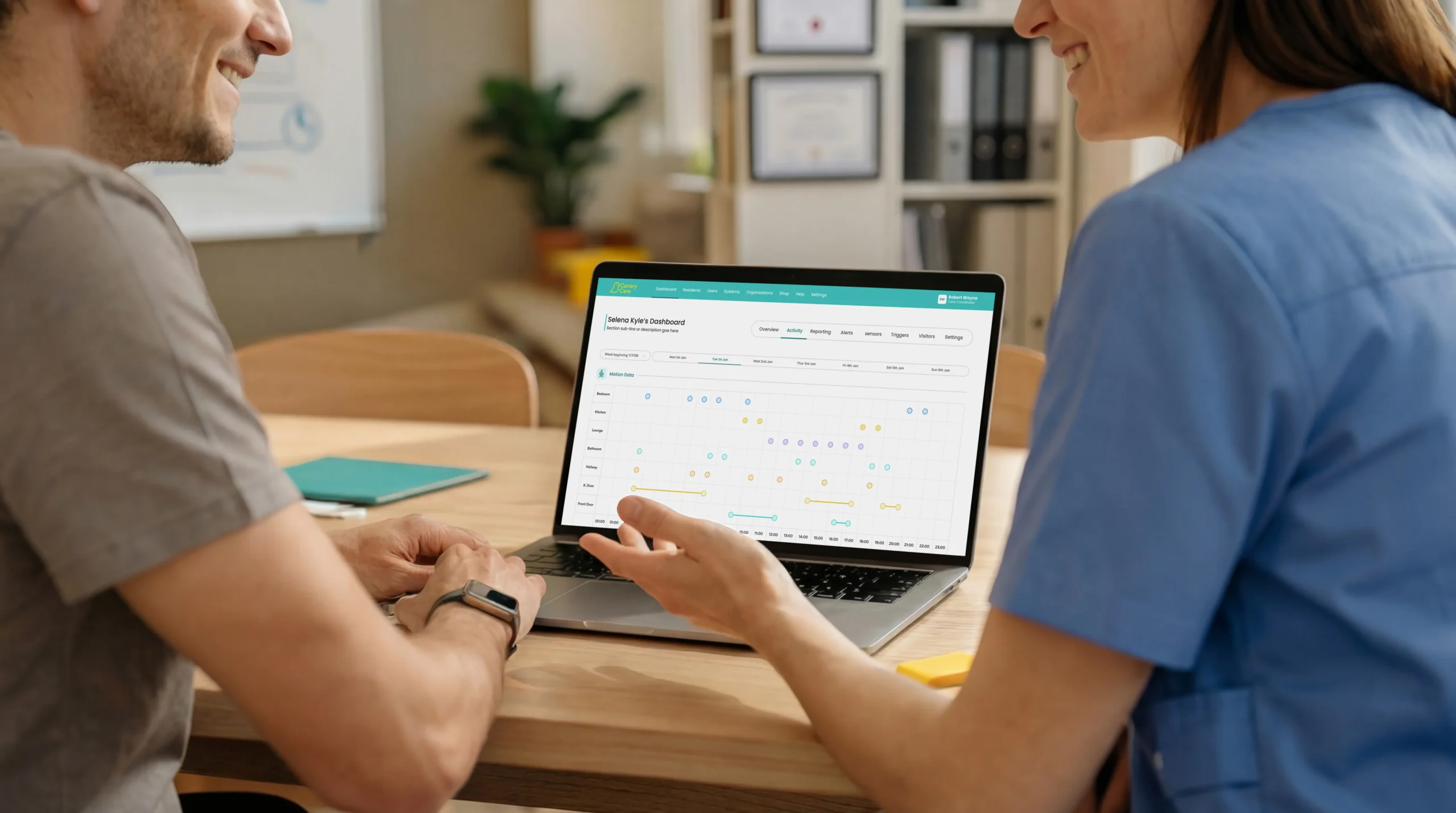
The Canary Care Portal is designed to give you a clear view into what’s happening at home in a way that’s simple, accessible, and easy to use.

Sensors

Detect movement and activity throughout the home with a range of multi‑function, humidity, and vibration sensors to identify changes in daily routines.

Home hub

Securely connect all home care sensors with the Canary Care Hub, the heart of our system – designed to keep families and carers connected 24/7.

Portal

Understand routines and identify meaningful activity changes in the Canary Care Portal – plus set custom alerts based around someone’s needs and day-to-day routine.

Dashboard

The Canary Care Portal is designed to give you a clear view into what’s happening at home in a way that’s simple, accessible, and easy to use.

Non-intrusive, reliable home care sensors

Canary Care’s home care technology has no wearables, no recording and no management. Our small, unobtrusive sensors are easy to install and require minimal maintenance – so the person you’re caring for won’t even know they’re there.

Our devices

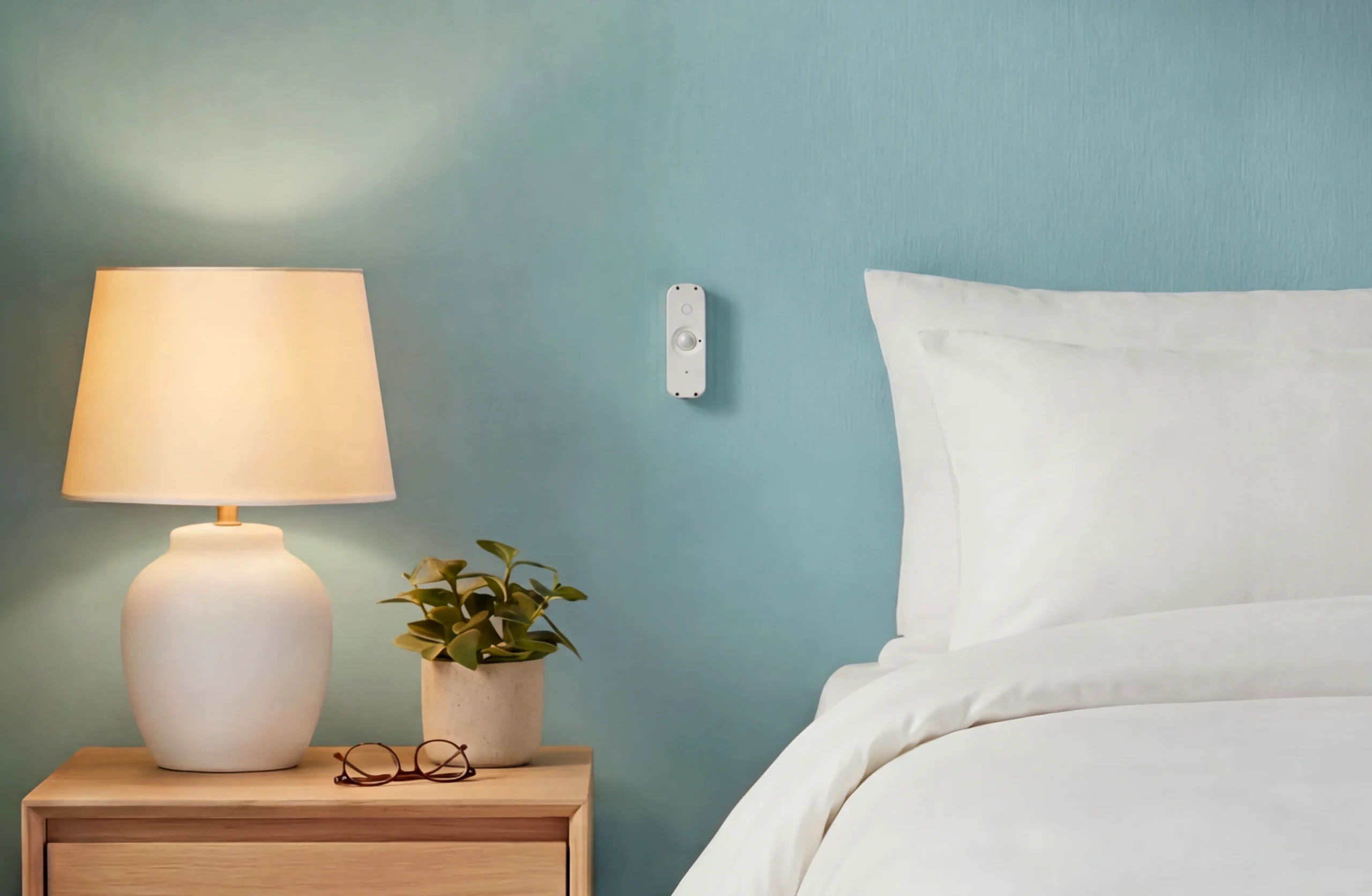
Monitor general movement throughout the home, as well as night-time activity.

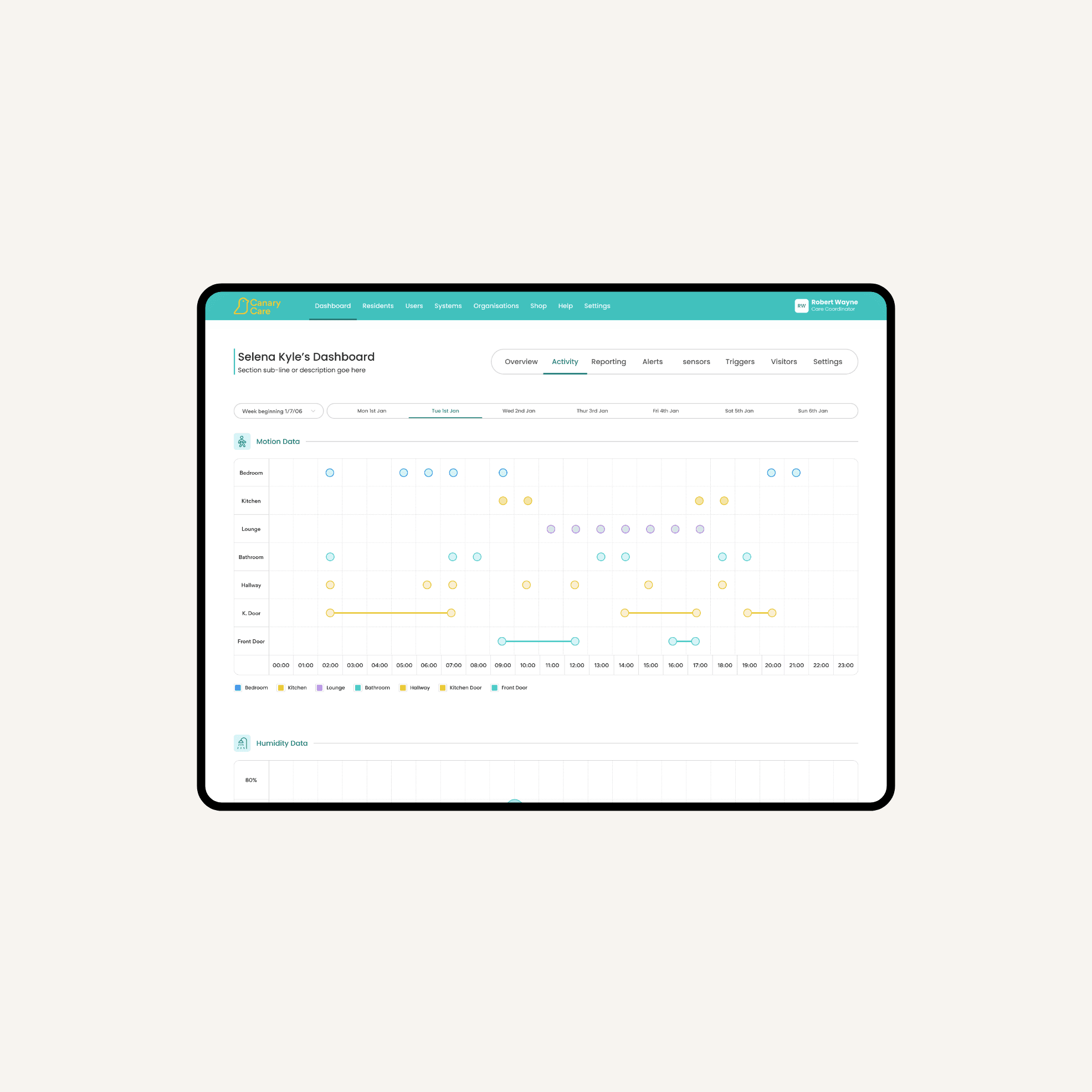
Example: Placed in the bedroom and hallway, these sensors help track night‑time movement. If someone gets out of bed or leaves their bedroom more often than usual, customisable alerts can notify you of potential changes in sleep patterns.

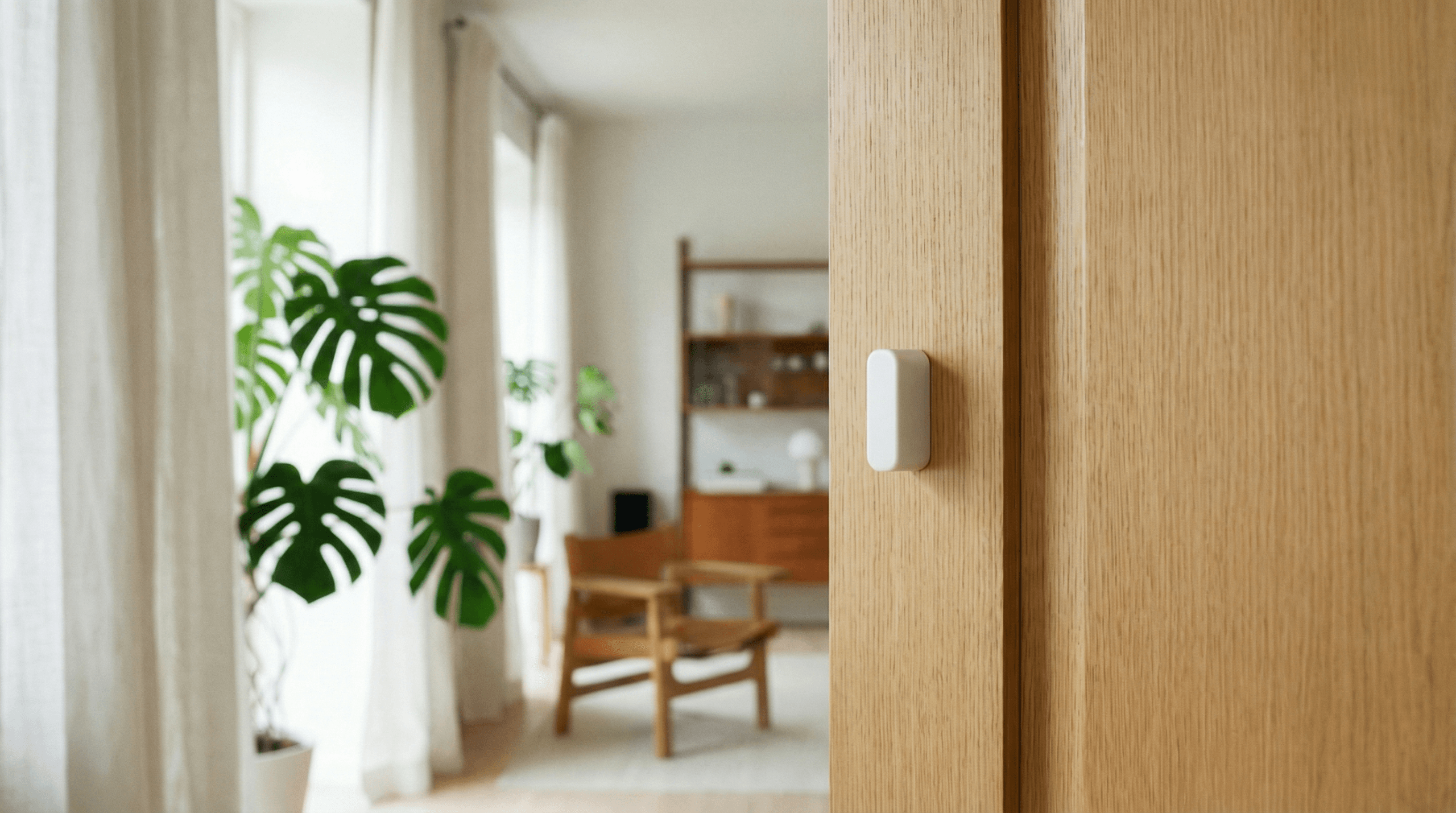
Adding a magnet allows any standard multi-function sensor to turn into a door sensor, allowing you to accurately monitor entry and exit patterns.

Example: Attaching a door sensor directly onto the front or back door, you’ll be able to tell when someone leaves their home. Set up custom alerts so that if a door is opened at a unexpected, concerning time – particularly during the night – you’ll be immediately notified so you can prioritise early intervention.

Understand when someone is opening and closing medicine cabinets, kitchen cupboards, or accessing household appliances.

Example: Vibration sensors track can when kitchen cupboards are opened and closed, building a picture of typical activity and helping you spot changes in eating habits or routines.

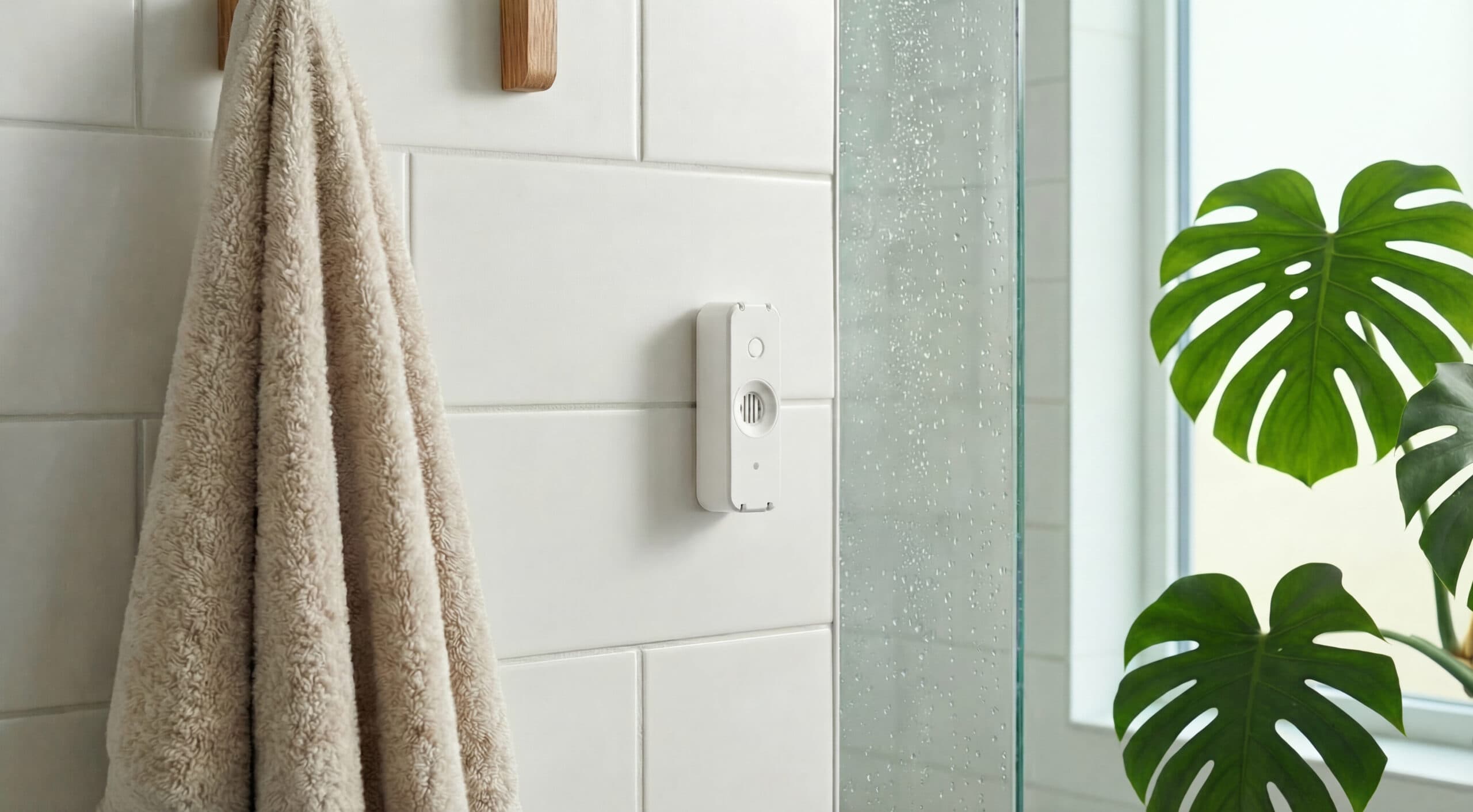
Monitor temperature and general home conditions, plus check if bathrooms are being used independently.

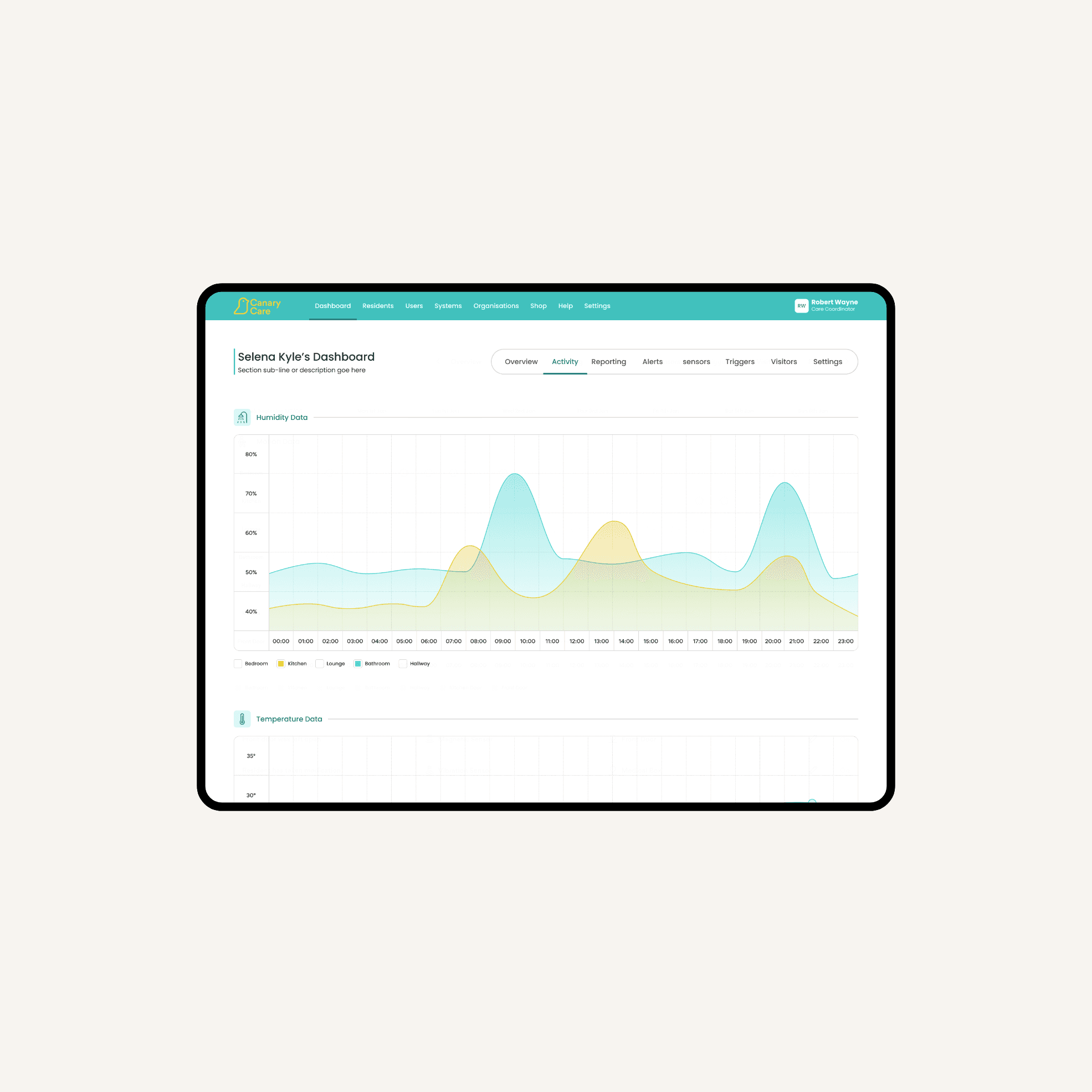
Example: Humidity sensors placed in the bathroom track when the shower or bath is being used, helping you gain insight into personal care routines while maintaining privacy. If patterns change, it can prompt a check‑in. These sensors can also flag conditions that may encourage mold growth, supporting a safer home environment.

Designed differently

Privacy-first by design

Unlike traditional activity monitoring, Canary Care tracks patterns, not people – providing reassurance while protecting the dignity and independence of the person you’re caring for. 

Our privacy-first approach

  • No cameras.
  • No microphones.
  • No wearables to forget or recharge.
  • Non-intrusive background sensors.

Other traditional activity monitoring

  • Visual monitoring with cameras.
  • Audio capture with microphones.
  • Wearable devices that need charging.
  • Bulky technology.

    Canary Care Portal

    Where data becomes insight

    Raw data is good but it’s pointless unless it’s digestible. Our Canary Care Portal transforms daily activity data into insight you can actually use. 

    Understand
    Learn what's normal

    From the moment you install our sensors, you’ll begin to build a picture of someone’s daily routines over time – whether that be waking up, leaving the house, or general movement within the home. 

    Analyse
    Spot what's changed

    See how today compares to normal. Export daily or weekly activity and environmental summaries in the home at the touch of a button, and monitor key timeline visuals with our daily diary to spot trends and unusual behaviours.

    Respond
    Act early with confidence

    Set-up customised, easy-to-manage alerts that immediately notify you of potential concerns, or if something falls outside of expected patterns. That way you can adjust care plans with confidence, because early intervention is key.

    Understand
    Learn what's normal

    From the moment you install our sensors, you’ll begin to build a picture of someone’s daily routines over time – whether that be waking up, leaving the house, or general movement within the home. 

    Analyse
    Spot what's changed

    See how today compares to normal. Export daily or weekly activity and environmental summaries in the home at the touch of a button, and monitor key timeline visuals with our daily diary to spot trends and unusual behaviours.

    Respond
    Act early with confidence

    Set-up customised, easy-to-manage alerts that immediately notify you of potential concerns, or if something falls outside of expected patterns. That way you can adjust care plans with confidence, because early intervention is key.

    Safe and secure

    Home care technology built for real life

    Our home care devices are designed to work simply, reliably, and securely in real homes, day in day out.

    Simplicity

    Easy to install, easy to use – built to be clear and accessible from the very first day.
    • Mobile-based set-up for easy installation.
    • Stable sensors that you don't even notice.
    • Smoother, simpler Portal dashboards.
    • More accessible fonts with higher contrast.

    Security

    Canary Care is technology you can trust in every sense, with privacy and security built in at every step.
    • Secure data handling.
    • GDPR-compliant.
    • Designed to protect personal information.

    Connectivity

    With an all-new and improved smart hub at its centre, our system is designed to be faster and more resilient.
    • Zigbee technology for better coverage.
    • Wi-Fi and 4G support for better connectivity.
    • Extended battery backup life and less upkeep.

    How to install

    Installation as easy as 1, 2, 3

    Get up and running with Canary Care in no time at all – just follow our simple steps. 

    Step 1
    Power your hub

    We’ll send your central hub to you alongside your kit. Once it’s plugged in somewhere within strong range of Wi-Fi, you’re ready to begin your set up. 

    Step 2
    Place your sensors

    Use the contact strips to fit the home care sensors in the key areas you want to monitor. Our Canary Care App will walk you through exactly how to set up each sensor, and let you know where best to place them. 

    Step 3
    Connect your hub

    You’ll then get instructions on how to pair each sensor to your hub. Once you’re all set, simply log in to your Canary Care Portal to start receiving insights instantly. 

    Step 1
    Power your hub

    We’ll send your central hub to you alongside your kit. Once it’s plugged in somewhere within strong range of Wi-Fi, you’re ready to begin your set up. 

    Step 2
    Place your sensors

    Use the contact strips to fit the home care sensors in the key areas you want to monitor. Our Canary Care App will walk you through exactly how to set up each sensor, and let you know where best to place them. 

    Step 3
    Connect your hub

    You’ll then get instructions on how to pair each sensor to your hub. Once you’re all set, simply log in to your Canary Care Portal to start receiving insights instantly. 

    See how Canary Care can fit your situation

    No matter your care needs, we’re proud to offer simple technology that helps keep people happy, safe, and living independently in their own homes.

    For families

    Get round the clock insight into daily routines when caring for a loved one at home. That’s peace of mind for you, and independence for them.

    For organisations

    Identify routine changes, make better care decisions and deliver more proactive care at scale.

    For families

    Get round the clock insight into daily routines when caring for a loved one at home. That’s peace of mind for you, and independence for them.

    For organisations

    Identify routine changes, make better care decisions and deliver more proactive care at scale.

    Technology

    Frequently asked questions

    We’ve pulled together some common questions about our Canary Care tech and how best to set up your kit.

    You should plug in your hub within strong range of your home’s Wi-Fi for the best connectivity.

    If you want to move your hub to a new location, or to a new home – no problem. Simply turn off the power, unplug the hub and plug into the power supply at the new location. It may take a few minutes to re-establish connection.

    Don’t forget – you might need to also move your sensors so they’re in range of your new hub location.

    You can use your sensors in different ways to suit your needs:

    • Placing them at chest height on a wall in a room means they’ll work as a motion sensor and will monitor light levels and temperature. This means you can keep an eye on activity in a particular room, and if that room is warm enough for example.
    • Using the sensors with door magnets on a door will monitor when a door is opened and closed. This means you can check if someone has left the house, or if visitors are coming in or out.

    We’d suggest putting door sensors on front and back doors, and motion sensors in main living spaces, like the kitchen, bathroom, or bedroom.

    You can place sensors on fridges, cupboards, windows, and drawers too – essentially anywhere you want to check movement. This means you can monitor and make sure a vulnerable person is eating properly, taking their medicine, opening windows during hot days, and anything in-between.

    We offer various packages depending on the size of the home, and the needs of the patient. It all depends on where you want to be tracking movement and how many rooms or doors you’d like to monitor.

    A 6-sensor package is ideal for a smaller home where you just need to monitor basic activity – like when someone leaves the house, but having more sensors means you can monitor more specific activity – like if the fridge is being opened, or windows kept closed. You’ll also get more detailed data with more than 1 sensor per room.

    To move your sensor, hold it and gently pull the tab on the contact strip. It’s important to do this slowly – it’ll stretch to about 6 times its normal length before it comes away completely. Then simply remove the battery and set-up in your new chosen location.

    Once your sensors are set up, you’re ready to log in and start using the portal. You can log in online at www.canarycare.co.uk/mycanary or download the app from your app store.

    Trouble logging in? No problem – call our team on 01865 408366 or email help@canarycare.co.uk – we’re here to help!

    We’d recommend you name each sensor by room or location, so they’re easy to keep track of.

    In the Portal, head to ‘Sensors’ and click on the cog icon. Enter the name you’d like, and specify whether it’s a door, or a motion sensor. For example: ‘Kitchen, door’ or ‘Bedroom, motion’.

    Then it’s easy to set up alerts – so if you know someone hasn’t gone in the kitchen for a few hours, you can check in to see if they’ve eaten anything that day.

    You’ll need to add your mobile number to set up SMS alerts. Head to the Account section , then click ‘Update Personal Details’ – you can enter your number here.

    You can set certain rules to give you alerts at various times – either for the whole system, or individual sensors. Just head to ‘Rules’ to get started. With the drop-down menus, you can set up rules for movement, temperature, visitor cards and doors.

    For example, you could set an alert to let you know if your someone is up at night – this could be an alert if the bedroom door sensor activates between 9pm and 6am.

    Or you might need to know if someone is warm enough, so you can get alerted if the temperature drops below a certain level. There are so many ways alerts can help with specific needs, you can contact our team for personalised advice and help.